
Liquid Molding Monthly
How to Choose the Best Type C Car Charger?
Choosing the right Type C Car Charger is not simply a matter of buying the highest wattage. Your phone, cable, vehicle, and charging protocol must work together. A 65-watt charger may sound impressive, yet your device might accept only 20 watts. Extra power will not automatically create faster charging.
Jeff Ravencraft, president of the USB Implementers Forum, has said, “USB Type-C is a connector, not a charging standard.” This distinction matters. Type-C describes the port shape, while USB Power Delivery, Quick Charge, and other systems control power delivery. A dependable Type C Car Charger should clearly state its supported protocols, output levels, and safety protections. Look for overcurrent, overvoltage, overheating, and short-circuit protection. These details are more valuable than flashy packaging.
Real driving conditions also deserve attention. A loose adapter can disconnect when the car crosses a rough road. A bright indicator may distract you during night driving. Dual-port models are useful for passengers, but shared power can reduce charging speed. I have seen buyers focus on peak wattage and ignore cable quality. That is an easy mistake. It is also worth checking whether the charger fits firmly inside your vehicle’s socket. Some compact models sit securely; others wobble after repeated use. The best Type C Car Charger balances charging speed, compatibility, heat control, size, and honest specifications. No model is perfect. Your daily devices and driving habits should guide the final choice.
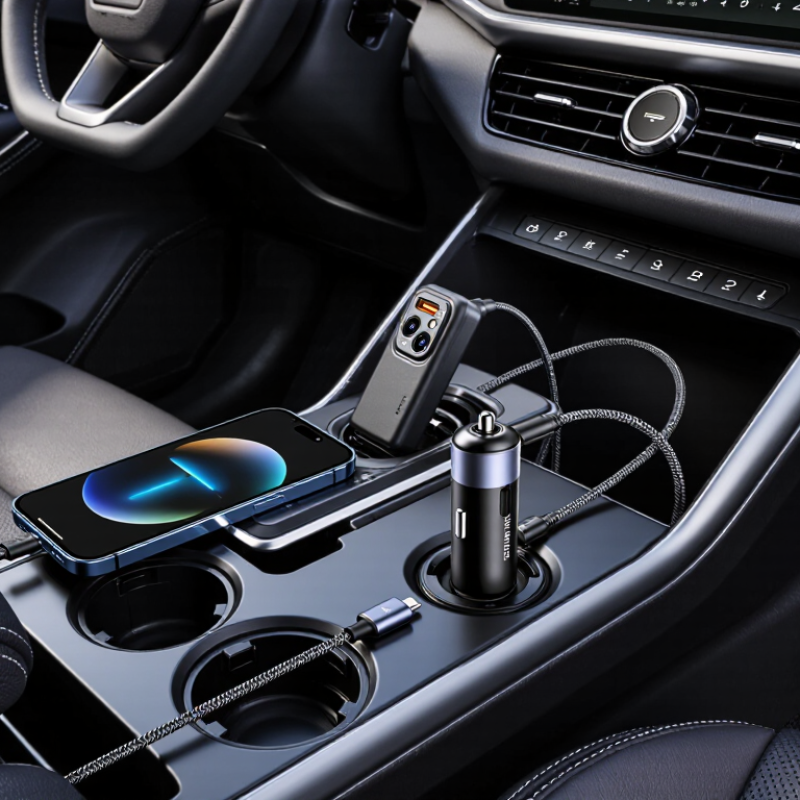
Understanding USB-C Car Charger Power Standards
How to Choose the Best Type C Car Charger?
Understanding USB-C power standards prevents many charging mistakes. A USB-C connector only describes the shape, not the charging performance. Look for USB Power Delivery, commonly called USB PD. This standard allows the charger and device to negotiate suitable voltage and current. Typical profiles include 5V, 9V, 12V, 15V, and 20V. A 30W charger may support 5V at 3A or 9V at 3A, depending on its design.
Power ratings need careful reading. A phone may accept 18W, while a tablet could require 30W or more. Some laptops need 45W, 65W, or higher. Programmable Power Supply, or PPS, can adjust voltage in smaller steps. This may reduce heat during compatible fast charging. However, the device, charger, and cable must all support the same standard. Otherwise, charging may slow noticeably.
The car socket matters too. Many outlets provide 12V, while larger vehicles may provide 24V. Check the charger’s input range and fuse rating. A reliable model should include over-current, over-voltage, and temperature protection. Use a cable rated for the expected power, especially above 60W. I once chose a charger by wattage alone. That assumption was too simple. The plug became warm during a long drive, although it still worked. Heat, loose sockets, and poor ventilation can reduce real performance. Safety testing from a recognized certification body offers stronger evidence than packaging claims. Test the charger with your own device, cable, and vehicle, because laboratory ratings are not always road conditions.
How to Choose the Best Type C Car Charger? - Understanding USB-C Car Charger Power Standards
| USB-C Power Standard or Feature | Typical Voltage and Current | Common Maximum Power | How Power Is Negotiated | Suitable Devices | Key Buying Considerations |
|---|---|---|---|---|---|
| USB-C without Power Delivery | Usually 5 V; current depends on the charger and device | Commonly 5 W to 15 W | Basic USB-C power communication or default current advertisement | Basic phones, small accessories, headphones, and low-power devices | USB-C describes the connector shape, not the charging speed. A USB-C port alone does not guarantee fast charging. |
| USB Power Delivery, Standard Power Range | 5 V, 9 V, 12 V, 15 V, or 20 V; current can reach 5 A with suitable cable and equipment | Up to 100 W under the original Standard Power Range | Digital negotiation between the charger and the connected device using the USB-C configuration channel | Phones, tablets, handheld consoles, cameras, and many USB-C laptops | Check the charger's advertised output profile. A 20 V profile is useful for laptops, while phones commonly use lower voltage profiles. |
| USB Power Delivery 3.1, Extended Power Range | 28 V, 36 V, or 48 V; higher-current operation requires compatible cables and equipment | Up to 240 W | Negotiated USB Power Delivery operation using Extended Power Range profiles | Higher-power laptops, displays, and specialized USB-C equipment | Most car sockets and ordinary vehicle wiring are not designed for continuous 240 W output. Confirm the vehicle's socket rating and the charger's input specifications. |
| Programmable Power Supply | Adjustable voltage and current within the charger's stated range; commonly fine-grained voltage steps between approximately 3.3 V and 21 V | Often 20 W to 100 W, depending on the implementation | The device requests a continuously adjustable operating point instead of only fixed voltage levels | Many modern smartphones and tablets that support temperature-managed fast charging | PPS can reduce conversion losses and heat, but both the charger and the device must support compatible PPS ranges. |
| USB Battery Charging 1.2 | 5 V; up to approximately 1.5 A for a dedicated charging port | About 7.5 W | Charging-port detection based on USB Battery Charging specifications rather than USB Power Delivery | Older phones, GPS units, media players, and legacy USB accessories | This is mainly relevant to older devices. It does not provide the higher-voltage profiles used by USB Power Delivery. |
| Single-Port Output Rating | Determined by the selected USB-C output profile | May range from 15 W to 140 W or more | One connected device can receive the port's full rated output when the charger supports it | Users charging one phone, tablet, or laptop at a time | For a single device, compare the port's maximum wattage with the device's required input power. Higher wattage does not force extra power into the device; the device controls the negotiated level. |
| Multi-Port Power Sharing | Each port may have separate limits, or the total output may be dynamically divided | Common combined ratings include 30 W, 45 W, 65 W, 100 W, or more | The charger reallocates available power after devices are connected or disconnected | Simultaneous charging of phones, tablets, earbuds, and laptops | Read the output table carefully. A charger may provide its maximum wattage only when one port is used, with lower power available when multiple ports operate. |
| Vehicle Input: 12 V System | Nominal 12 V; actual voltage may vary while the engine is running | Depends on the vehicle socket fuse, wiring, and charger efficiency | The car charger converts the vehicle's DC input into negotiated USB-C output | Most passenger cars and small vehicles | Do not assume that a 12 V vehicle socket can deliver laptop-class power continuously. Check the vehicle manual or fuse rating. |
| Vehicle Input: 24 V System | Nominal 24 V; actual voltage may vary during operation | Depends on socket protection and charger design | The charger regulates the higher vehicle voltage before USB-C negotiation | Many trucks, buses, and commercial vehicles | Choose a charger explicitly rated for the vehicle's input range. A 12 V-only charger may be unsuitable for a 24 V electrical system. |
| USB-C Cable Current Capability | Common cable ratings include 3 A and 5 A | Power depends on voltage; 5 A operation supports higher USB Power Delivery levels | An electronically marked cable identifies supported current and power capabilities when required | High-power laptops and other devices using USB Power Delivery | For outputs above 3 A, use a properly rated cable. A high-wattage charger cannot deliver its full capability through an unsuitable cable. |
| Thermal Protection and Current Limiting | Not a charging protocol; it governs safe operation | Power is reduced or disconnected if temperature or current exceeds safe limits | Electronic monitoring detects over-current, over-temperature, short circuits, and abnormal input conditions | All devices, especially high-power laptop charging systems | Look for clearly stated protections and adequate ventilation. High output in a confined dashboard area can increase operating temperature. |
| Best Match by Device Type | Phone: commonly 18 W to 45 W; tablet: commonly 20 W to 45 W; laptop: commonly 45 W to 100 W or more | Choose a charger at or above the device's documented input requirement | The device requests only a compatible power level | Phones, tablets, laptops, cameras, and handheld gaming devices | Prioritize compatible USB Power Delivery or PPS profiles, the correct cable rating, stable vehicle input support, and sufficient power sharing for all connected devices. |


100% Mercury Free
All of Hapco's formulations are completely free of Mercury.

50 Year Track Record
Hapco has been in business for over 50 years!