
Skip to Content

Liquid Molding Monthly

Top 10 OCR Inspection Systems for Global Buyers

Ocr Inspection systems turn printed characters into measurable production data. They read lot codes, expiry dates, serial numbers, and labels as products move along a line. For global buyers, a convincing demonstration is not enough. Performance must hold across fonts, substrates, lighting conditions, and operating speeds.

Computer-vision pioneer Dr. Fei-Fei Li has said, “If we want machines to think, we need to teach them to see.” Her observation speaks to a core challenge: machines must interpret visual details, not merely capture images. In this guide, the Top 10 OCR Inspection Systems for Global Buyers are compared through practical purchasing criteria, including reading accuracy, inspection speed, integration options, language support, and service availability. Small details matter. A glossy pouch can create glare; a curved bottle can distort a code.

No single system suits every factory. Results depend on camera setup, print quality, product variation, and the cost of missed or incorrect reads. Buyers should test real samples under real line conditions, then review failure cases—not just headline accuracy. That step is easy to overlook. This comparison aims to clarify trade-offs, while recognizing that vendor specifications do not replace a site-specific trial. Even a strong system may need careful tuning. A useful shortlist begins with evidence, not promises.
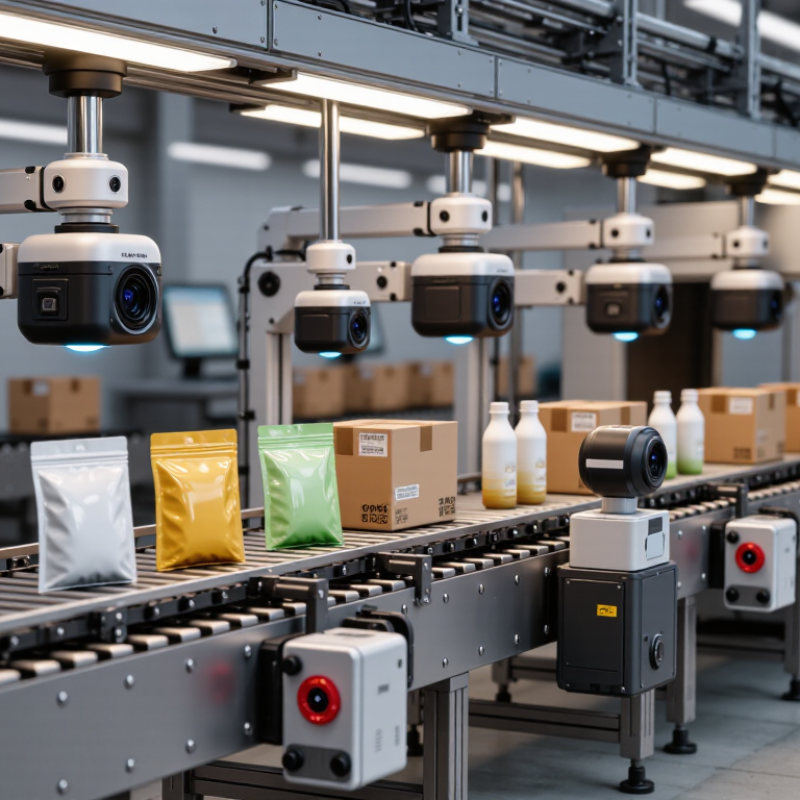
Top 10 OCR Inspection Systems for Global Buyers

Defining OCR Inspection: OCR, OCV, and Their Roles on Production Lines

OCR turns printed or marked characters into readable data; OCV checks whether those characters match an expected value. On a packaging line, OCR may read a date code from a moving carton. OCV can then verify that the code matches the scheduled format and product record. They overlap, but they answer different questions: “What does it say?” and “Is it correct?” Small errors matter.

Selection depends on the inspection task, not just camera resolution. Consider print contrast, glare on glossy film, line speed, code location, and character spacing. A system should flag unreadable codes as well as readable-but-wrong ones. Good lighting and stable image capture often matter as much as recognition software. Still, no setup is perfect; condensation, worn printheads, or a slightly skewed label can create false rejects. Review sample images and challenge the system with realistic defects before setting acceptance limits.

Tips: Test codes at normal line speed, including faint and smudged examples. Keep inspection logs, and periodically check whether reject rates reflect real defects or tuning issues.


Measuring Performance: Read Rate, False Rejects, and Line Speed

An OCR inspection system should be judged on the code it reads at production speed, not only on clean test images. Measure read rate across real print variation: pale ink, curved bottles, glare, and small date codes. Record results by product and shift, since one average can hide recurring failures. A 99.8% read rate sounds strong. Check the denominator.

False rejects deserve equal attention. A system that rejects readable codes can stop a line and trigger manual checks. Review rejected images to separate actual defects from lighting changes, vibration, or poor focus. Keep a sample log. It is tedious, but useful. Set acceptance limits with operators and quality staff, then revisit them after label or setup changes. A threshold that works on cartons may not suit glossy film.

Test line speed with the actual conveyor, item spacing, and trigger timing. Measure sustained throughput, not a brief peak, and confirm that every item receives an image and decision. At high speed, missed frames matter. Request recorded trials with representative samples, including damaged and low-contrast codes. Repeat testing after installation; setup drift is real. No single score settles the choice. Compare read rate, false rejects, and throughput together, while noting where the evidence remains thin.

Verifying Code Quality: ISO/IEC 15416 and 15415 Use a 0–4 Grade Scale

For global buyers, OCR inspection and barcode verification solve related but different problems. OCR checks whether printed characters match the expected text. ISO/IEC 15416:2016 and ISO/IEC 15415:2011 assess the quality of linear and two-dimensional symbols. Their reported grade uses a 0–4 scale: 4 is highest, while 0 is lowest. Numbers matter.

A grade is not a universal pass mark. GS1 General Specifications set application-specific requirements, so buyers should match acceptance limits to the symbol type and scanning environment. A verifier’s aperture, illumination, and setup can affect results; comparing scores without checking these conditions can mislead. One good scan proves little.

For example, a crisp code on a flat sample may score well, while the same code near a curved package seam may suffer uneven lighting or distortion. Ask suppliers to show grade reports from representative production samples, not only ideal test labels. Check that the report identifies the standard, grading conditions, and measured result. OCR confidence should be reviewed separately; it does not replace an ISO symbol grade. A tidy dashboard can still hide a weak sampling plan.

Comparing 10 OCR Inspection Systems by Accuracy, Integration, and Global Support

Choosing among ten OCR inspection systems requires more than comparing headline accuracy. Test each system on the same production images, including faint printing, curved packaging, glare, and slightly shifted labels. Record character-level accuracy, false rejects, and missed defects separately. A single accuracy score can hide costly errors. A clean demonstration may also overstate real-line performance.

Integration matters just as much. Check camera compatibility, lighting controls, line speed, and connections to existing PLC or manufacturing software. Ask how operators review uncertain reads and whether results can be exported in usable formats. Global support should include clear documentation, practical training, and service coverage across your operating hours. Response times deserve verification, not assumptions. Even a strong system can disappoint when local teams cannot troubleshoot it quickly.

Tips: Prepare a small image set from real shifts, not only ideal samples. Repeat tests after changing lighting or print position. Keep the results; your first comparison may miss an important edge case.

Selecting a System for GS1 DataMatrix, Multilingual Text, and Regulatory Needs

Global buyers should evaluate OCR inspection systems against real packaging, not polished sample images. A GS1 DataMatrix code needs reliable decoding, while printed human-readable text needs separate character recognition. These tasks can fail differently. Test codes on curved cartons, glossy labels, and low-contrast areas. Check whether the system reports unreadable data clearly, rather than quietly passing uncertain results.

Multilingual inspection adds another challenge. Ask whether the system supports the scripts, accents, and fonts used on your actual labels. Include small characters, mixed languages, and text near seams in trial runs. Regulatory workflows also depend on traceable records: capture inspection results, timestamps, rejected images, and change history. Confirm that records can be retrieved in the format your quality team uses. A fast camera is not enough. We sometimes give too much weight to peak speed and too little to setup changes between product runs.

Tips: Test at normal line speed with real lighting. Keep a few difficult samples for repeat checks. Review false rejects with operators; one confusing label can reveal a setup weakness.

Top 10 OCR Inspection Priorities for Global Buyers

A practical scorecard for GS1 DataMatrix, multilingual text, and regulatory requirements

The percentages are illustrative planning weights, totaling 100%—not results from a market survey or a ranking of specific systems. They highlight common evaluation areas such as GS1 DataMatrix decoding, OCR across languages, code quality, traceability, and auditability. Adjust the weights to match your products, production line, and regulatory context.

100% Mercury Free

100% Mercury Free

All of Hapco's formulations are completely free of Mercury.

50 Year Track Record

50 Year Track Record

Hapco has been in business for over 50 years!
ISO Certified

Higher Quality. More Efficiency. View Certificate

Technical Expertise

Hapco's employees are knowledgeable and ready to help.

Join Our Mailing List

Get the latest news, updates, and articles from Hapco, Inc.

Join Now