Skip to Content

Liquid Molding Monthly

Why Choose an Embedded Display for Your Product?

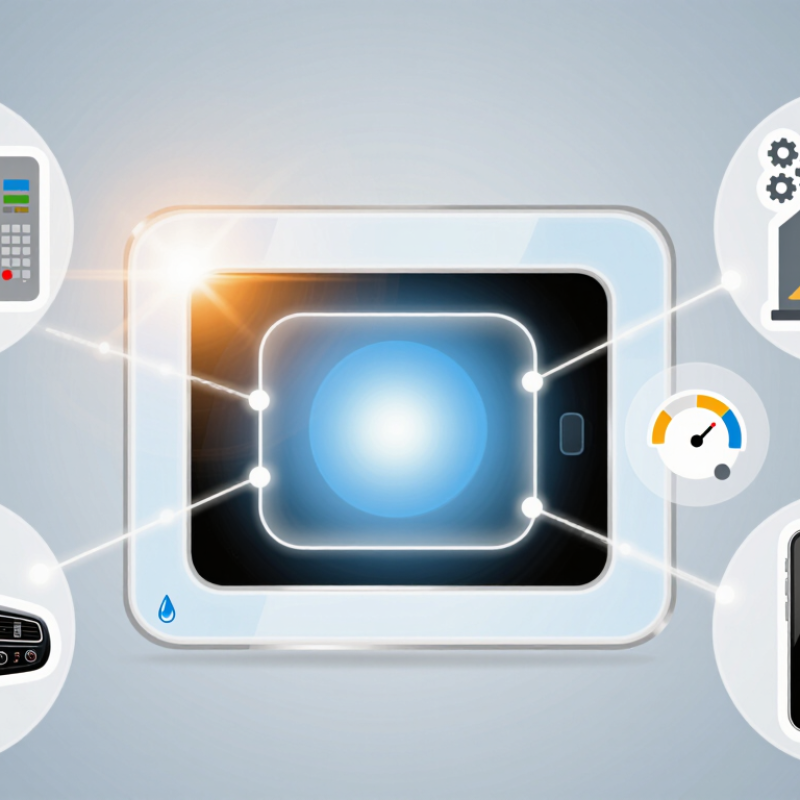
Choosing an Embedded Display can turn a functional product into a clear, responsive, and trustworthy experience. It places information where users need it, whether on a medical monitor, factory controller, vehicle console, or smart appliance. Instead of checking a separate phone or computer, operators can view temperature, alarms, instructions, and system status on one integrated screen.

Display industry analyst Bob Raikes has said, “The display is the primary interface between people and technology.” That idea remains practical. A bright screen with strong viewing angles can improve readability beside a sunlit machine. Physical buttons, touch controls, and carefully sized icons can reduce hesitation during a busy shift. A well-selected Embedded Display also supports product differentiation, because its brightness, interface, enclosure, and response time can match the product’s real environment.

Still, integration is not automatically better. A screen may add cost, heat, software maintenance, and new failure points. Designers must test gloves, dust, vibration, moisture, glare, and repeated cleaning. They should also question whether every feature deserves a visual control. More information can create confusion.

The best choice depends on use.

When display specifications, interface design, and field conditions are considered together, an Embedded Display can improve usability and operational confidence. It should not be added merely because modern products are expected to have screens. It should earn its place through measurable value, dependable performance, and a user experience that remains understandable under pressure.

Why Choose an Embedded Display for Your Product?

Define Embedded Displays: Architecture, Interfaces, and Product Use Cases

An embedded display is a screen designed into a product’s structure, electronics, and software. Unlike an external monitor, it shares the device’s power, processor, enclosure, and user interface. A typical architecture includes a display panel, timing controller, backlight, touch sensor, operating system, and application layer. Engineers must also plan heat paths, sealing, viewing angles, and service access.

Interfaces determine how these parts communicate. MIPI DSI suits compact products because it uses fewer conductors and supports high-speed video. LVDS remains useful for longer internal connections and larger panels. HDMI or DisplayPort may simplify development, but they often consume more space and power. USB can carry touch data, while I2C or SPI commonly connects sensors and control components. The choice is rarely perfect.

The market is expanding with connected equipment. IoT Analytics reported 16.6 billion connected IoT devices worldwide in 2023, creating more demand for local visual feedback. MarketsandMarkets projects the global human-machine interface market to grow from about 5.0 billion dollars in 2023 to 7.6 billion dollars by 2028. Practical use cases include medical monitors, factory controllers, vehicle consoles, laboratory instruments, and smart energy meters.

In a factory, a bright display can show an alarm beside a physical stop switch. In a medical device, readable status information matters more than decorative graphics. Designers sometimes underestimate glare, gloves, dust, and awkward viewing positions. Testing only in a quiet laboratory is not enough.

Set Interaction Targets: 0.1 Seconds Feels Instantaneous, 1 Second Preserves Flow

Why Choose an Embedded Display for Your Product?

Set Interaction Targets: 0.1 Seconds Feels Instantaneous, 1 Second Preserves Flow

An embedded display turns product feedback into something visible and immediate. When a user taps a control, the interface should respond within about 0.1 seconds. That small flash of color, movement, or sound confirms the action before doubt appears. It feels instant. For slower operations, keep visible feedback within one second. A progress change, status message, or button transition helps preserve the user’s flow.

These targets should guide engineering decisions early. Measure the time from touch detection to visual response, not only the processor’s speed. A bright screen, clear contrast, and stable frame rate also affect perceived performance. In practical testing, users notice hesitation when a screen stays unchanged after a firm tap. They may tap again. That creates errors.

Our first prototype looked responsive in a controlled demo, but real interaction exposed gaps. A busy data request delayed the status message by nearly two seconds. We improved the display by showing immediate touch feedback, then separating it from the longer task. The experience became clearer, although not perfect. Some users still wanted more detail during waiting periods. That observation matters. An embedded display should not only present information; it should communicate what the product understood, what it is doing, and when the next action is safe.

Verify Accessibility: WCAG 2.2 Requires 4.5:1 Text Contrast

Why Choose an Embedded Display for Your Product?

An embedded display can place essential controls directly in the user’s environment. That convenience also creates an accessibility responsibility. WCAG 2.2 requires a minimum 4.5:1 contrast ratio for normal-sized text under Level AA. Large text requires at least 3:1. These thresholds apply to labels, alerts, menus, and status messages on product screens.

Contrast failures remain common. The WebAIM Million 2024 report found low-contrast text on 79.1% of tested home pages. Although its research focused on websites, the warning applies to embedded interfaces too. A pale gray label may look elegant in a showroom. It can disappear under sunlight, glare, or a scratched protective cover. Test the actual display, not only a design mockup. Check text against its immediate background with a validated contrast analyzer. Then test viewing angles, brightness levels, and color temperature.

Ratio is not everything. It is only one checkpoint. The World Health Organization estimates that 1.3 billion people experience significant disability worldwide, so readable controls serve a substantial audience. Avoid conveying meaning through color alone. Add clear text, icons, or patterns for warnings and states. Use practical font sizes and generous spacing around touch targets. Real users should review the interface, including people with low vision. Our own testing can miss obvious problems. A perfectly measured screen may still feel confusing, crowded, or tiring during daily use.

Plan Reliability: Apply IEC 60529 IP Ratings and IEC 60068 Testing

Why Choose an Embedded Display for Your Product?

Plan Reliability: Apply IEC 60529 IP Ratings and IEC 60068 Testing

An embedded display must survive more than daily touch interactions. Dust, splashing water, temperature changes, and vibration can weaken seals and connections. IEC 60529 provides a clear method for describing protection against solids and water. An IP65 rating, for example, indicates dust protection and resistance to water jets. It does not guarantee protection against immersion or chemical exposure.

Test the complete assembly, not only the display module. The enclosure, gasket, cable entry, and mounting screws can change the final protection level. A small gap near the bezel may become a failure point after repeated vibration. IEC 60068 supports environmental testing for temperature, humidity, vibration, shock, and other stresses. Testing should reflect the product’s actual installation conditions. A vehicle panel needs a different profile from a sealed factory controller.

Document each test condition carefully. Record temperature ranges, exposure times, vibration levels, and any visible damage. Inspect brightness, touch response, connector stability, and image defects afterward. Standards improve confidence, but they do not replace engineering judgment. A laboratory result may not represent years of field use. That gap deserves attention. Many teams also test too late, when changing the enclosure becomes expensive. Build reliability checks into the design stage, then review the assumptions honestly.

Why Choose an Embedded Display for Your Product? — Plan Reliability: Apply IEC 60529 IP Ratings and IEC 60068 Testing

Reliability Dimension Applicable Standard or Code Reference Data What It Verifies Embedded Display Planning Consideration
Protection against solid objects IEC 60529 — First IP characteristic digit IP0X: no protection; IP1X: objects ≥ 50 mm; IP2X: objects ≥ 12.5 mm; IP3X: objects ≥ 2.5 mm; IP4X: objects ≥ 1.0 mm; IP5X: dust-protected; IP6X: dust-tight. Resistance of the complete enclosure to access by hazardous parts and ingress of solid foreign objects. Define the required rating for the assembled display, bezel, seals, cable exits, buttons, vents, and mounting interface—not for the display module alone.
Protection against water IEC 60529 — Second IP characteristic digit IPX0: none; IPX1: vertically dripping water; IPX2: dripping water when tilted up to 15°; IPX3: spraying water; IPX4: splashing water; IPX5: water jets; IPX6: powerful water jets; IPX7: temporary immersion; IPX8: continuous immersion under conditions agreed between manufacturer and user. Resistance to specified water exposure levels under the applicable test conditions. Select the water exposure based on the product location, cleaning process, outdoor use, condensation risk, and orientation during operation.
Typical enclosure target IEC 60529 IP65, IP66, IP67, or IP68 IP65 combines dust protection with water jets; IP66 combines dust-tightness with powerful water jets; IP67 adds temporary immersion; IP68 requires an agreed continuous-immersion condition. Whether the enclosure target matches the actual environmental exposure. Do not assume that IP67 automatically covers IP65 or IP66 water-jet performance; verify the required tests and markings for the intended application.
Low-temperature operation and storage IEC 60068-2-1 — Cold Test severity is project-defined; common product requirements may specify operating limits such as −20 °C or −30 °C, but these values are not universal IEC requirements. Functional and mechanical behavior after exposure to low temperature. Check start-up time, touch response, display contrast, backlight performance, adhesive behavior, cable flexibility, and condensation after temperature recovery.
High-temperature operation and storage IEC 60068-2-2 — Dry heat Test severity is project-defined; examples include +55 °C, +70 °C, or higher where justified by the product environment. Operation or storage capability under elevated dry temperature. Evaluate luminance reduction, liquid-crystal response, optical bonding, enclosure expansion, processor heat, and thermal derating.
Damp heat, steady state IEC 60068-2-78 — Damp heat, steady state A commonly specified severity is 40 °C and 93% relative humidity for a defined duration, subject to the applicable test plan. Resistance to prolonged high humidity without condensation cycling. Inspect corrosion, insulation resistance, optical haze, touch-sensor drift, seal durability, and moisture ingress around the cover lens.
Temperature change and thermal cycling IEC 60068-2-14 — Change of temperature Use defined upper and lower temperatures, transfer time, dwell time, and number of cycles based on the product environment. Resistance to repeated expansion and contraction of materials and assemblies. Pay particular attention to cover-glass bonding, frame stress, connector joints, solder joints, seals, and display uniformity after cycling.
Sinusoidal vibration IEC 60068-2-6 — Vibration, sinusoidal Frequency range, displacement or acceleration, sweep rate, duration, and mounting orientation are defined by the test plan. Mechanical integrity under controlled periodic vibration. Validate mounting stiffness, screw retention, connector locking, cable strain relief, touch-panel stability, and image performance during vibration.
Random vibration IEC 60068-2-64 — Vibration, broadband random Test severity is specified using a power spectral density profile, frequency range, overall acceleration, duration, and axes. Resistance to broadband vibration representative of transport or operating environments. Use field vibration data where available; otherwise document assumptions for vehicle, machinery, rail, or portable equipment applications.
Mechanical shock IEC 60068-2-27 — Shock Pulse shape, peak acceleration, pulse duration, number of shocks, direction, and mounting condition are defined by the test plan. Resistance to sudden mechanical impacts. Verify cover-glass strength, frame rigidity, internal fasteners, connector retention, display delamination, and touch-panel operation after shock.
Salt mist and corrosive coastal exposure IEC 60068-2-52 — Cyclic salt mist Severity is selected according to the expected environmental category and number of cycles; the test is cyclic rather than a single universal exposure level. Resistance to corrosive salt-laden atmospheres. Assess metal coatings, exposed fasteners, connector contacts, vent membranes, seals, and corrosion-related electrical leakage.
Water ingress after environmental stress IEC 60529 combined with IEC 60068 environmental testing A practical sequence may include thermal cycling, vibration, shock, or humidity exposure before the IP test; the sequence must be defined in the verification plan. Whether seals and interfaces remain effective after realistic mechanical and climatic aging. Test the final production-intent assembly, because damaged seals, shifted frames, or loosened connectors can change the achieved IP performance.
Acceptance criteria and evidence Project verification plan referencing the applicable IEC methods Record test level, specimen configuration, preconditioning, operating mode, duration, inspection points, failures, and post-test functional results. Traceability from environmental requirement to measurable product performance. Define measurable limits for luminance, contrast, touch accuracy, dead pixels, water ingress, insulation, corrosion, mechanical damage, and safe operation before testing begins.

Note: IEC 60529 IP ratings and IEC 60068 test severities must be selected and applied according to the applicable edition, product category, installation environment, and documented verification plan. Example temperature and humidity values above are planning references, not universal pass/fail requirements.

Calculate Lifecycle Value: Compare BOM, Power, and Five-Year Service Costs

Why Choose an Embedded Display for Your Product?

Calculate Lifecycle Value: Compare BOM, Power, and Five-Year Service Costs

An embedded display should be judged beyond its purchase price. In field projects, we compare the complete bill of materials, power demand, and service history. A display that costs 18 dollars more may reduce separate brackets, cables, and assembly time. Small differences compound.

Power is easy to underestimate. A 2-watt reduction can save about 87.6 kilowatt-hours over five years, assuming continuous operation. Multiply that figure by thousands of units, then include cooling requirements and battery capacity. The result can change the design decision. However, actual usage rarely matches laboratory testing. Our early estimate was too optimistic because operators increased brightness in bright rooms.

Service costs deserve equal attention. We record replacement time, access difficulty, failure rates, and technician travel. A front-access display may shorten a repair from forty minutes to fifteen. That matters. Yet service assumptions need evidence from similar installations, not hopeful spreadsheets. Dust, vibration, temperature changes, and touch-screen wear can alter the outcome.

A practical lifecycle model includes the initial BOM, installation labor, annual energy use, spare inventory, warranty exposure, and five-year repairs. We also test sample units under realistic conditions before approval. The calculation is not perfect. It becomes useful when every assumption is visible, measured, and reviewed.

Article Source:

100% Mercury Free

100% Mercury Free

All of Hapco's formulations are completely free of Mercury.

50 Year Track Record

50 Year Track Record

Hapco has been in business for over 50 years!

ISO Certified

Higher Quality. More Efficiency. View Certificate

Technical Expertise

Hapco's employees are knowledgeable and ready to help.

Join Our Mailing List

Get the latest news, updates, and articles from Hapco, Inc.

Join Now